AI Landscape Design: What It Can Do, What It Cannot, and How to Check It
AI landscape design is software that turns a photo of your yard, a description, or both into a visual design idea — a restyled image, a suggested layout, or a plant list. It is excellent for exploring ideas quickly. It is not, by itself, a measured plan you can hand to a builder and expect to be built exactly as shown.
That distinction is the whole article in one paragraph. A render shows what a yard could look like. A plan shows what it will take to build it: dimensions, plant sizes at maturity, drainage, irrigation, materials, and local rules. Most AI tools produce the first kind of output, not the second. Used that way — as a draft idea that you verify — AI is genuinely useful. Used as a finished plan, it can lead to wrong plants, surprise costs, and work that has to be redone.
What AI Landscape Design Actually Produces
Depending on the tool, AI output usually falls into one of these forms:
- A restyled photo. You upload a photo of your yard, pick a style such as “modern” or “cottage garden,” and the tool returns the same yard restyled in that look. This is the most common beginner experience, and it is best for answering “Do I like this direction?”
- A suggested layout. Some tools arrange paths, beds, seating, and planting zones on a plan or photo. These suggestions show relationships — where seating could go, where a bed could run — but they rarely carry reliable measurements.
- A plant list or care schedule. Some tools name plants for a style or climate and suggest watering or pruning routines. These lists are starting points for research, not verified planting advice for your soil and microclimate.
- A mood image. Some general image tools create a beautiful yard scene from a text description. That scene may not be your yard at all, and it carries no information about your lot, soil, or rules.
None of these outputs is useless. A restyled photo helps a couple agree on a direction before spending money. A layout suggestion helps a homeowner talk to a landscaper with something concrete to point at. The mistake is treating any of them as a specification — a document with measurements and quantities a builder can price and build from.
Three Kinds of AI Tool, and Why the Kind Matters
Not all “AI landscape” tools do the same job, and much confusion comes from expecting one kind to do another’s work.
1. Photo visualizers. These restyle your photo. They are fast and easy to try, and great for exploring styles. They do not measure your yard, check your soil, or know your local rules. Most tools a homeowner meets first are in this group.
2. Measured planners. These work from dimensions, a site sketch, or a map, and they try to produce layouts with sizes, quantities, and plant spacing. They are more useful for planning, but their output is only as good as the measurements and site information you give them. A planner working from a guessed lot size will produce a confidently wrong plan.
3. Professional estimating tools. These help landscapers count and measure from existing plans — for example, counting planting symbols or calculating areas from a drawing — to prepare quotes. They are built for professionals with plans already in hand, not for a homeowner starting from a photo.
How to tell which kind you are using
Ask the tool three questions: Does it ask for measurements, or only a photo? Does it export a dimensioned plan and a plant schedule, or only an image? Does it ask about your soil, drainage, utilities, and local rules, or does it skip straight to style? If the answers are “only a photo,” “only an image,” and “skips them,” you are using a visualizer. Enjoy it as one, and do not price a project from it.
What AI Cannot See
A photo-based tool sees what is in the frame, in daylight, from one angle. Everything else is a blind spot, and the blind spots are where yard projects fail.
- Underground. Irrigation lines, utility cables and pipes, tree roots, and septic systems do not appear in a photo. A bed or a path drawn over them can mean expensive relocation or damage.
- Outside the frame. The tool cannot see the neighbor’s tree that shades your yard in the afternoon, the slope beyond the fence, or the drain at the edge of the lot.
- Soil and drainage. Clay, sand, a high water table, or a yard that holds water after rain will not show in a sunny photo. Plants and surfaces chosen for a dry, well-drained yard will struggle in a wet one.
- Mature plant size. A render shows plants at their photogenic size, not at the size they will reach in five years. A shrub that looks neat in the image may swallow a path or block a window when mature.
- Local rules. Water restrictions, plant restrictions, setback rules, and permit requirements vary by place. An AI model trained on images from many regions does not know your city’s rules.
- Seasons. A summer render does not show winter shade, leaf fall, or what a deciduous tree looks like bare. Shade predictions also vary widely between tools: some use a fixed summer sun angle, while others model the sun’s path across seasons. If a tool does not say which it does, treat its shade picture as a guess.
None of this makes AI useless. It makes AI a starting point that needs human checks, which is exactly what the next section gives you.
The Render-to-Reality Check: Six Checks in 30 Minutes
Run these six checks on any AI render before you buy plants, book work, or show it to a builder as a plan. You can do most of them with a phone, a tape measure, and a free zone lookup.
1. Zone check. Find your USDA plant hardiness zone by entering your ZIP code on the official USDA map, as explained in this guide to the USDA hardiness zone map, and check every plant in the render against it. Remember that a zone describes average winter minimum temperatures; it does not guarantee a plant will thrive, because summer heat, rainfall, soil, and microclimates also matter. If a plant is not rated for your zone, remove it from the list, however beautiful it looks.
2. Mature-size check. For each plant, look up its mature height and spread — not its size in the render or in a nursery pot. Draw those mature sizes on your yard sketch. If a shrub’s mature spread covers a path, blocks a window, or crowds its neighbor, choose a smaller variety or a different plant.
3. Sun-and-season check. Walk your yard in the morning and late afternoon, and note which areas are sunny, partly shaded, or fully shaded at each time. Compare that with the render’s light. If the render shows sun-loving plants in a corner that is shaded most of the day, or a seating area in full afternoon sun with no shade planned, the render’s light is wrong for your yard. Also ask whether the tool models seasonal sun or a single summer angle — if you cannot tell, assume a single angle and check shade yourself.
4. Water-and-drainage check. Note where water pools after rain, where your outdoor tap is, and whether your area has watering restrictions. A design that needs daily watering far from a tap, or that puts a bed where water already collects, will become a chore. If the design changes levels, adds paving, or redirects water, that is work for a landscape professional, not a render.
5. Utilities-and-rules check. Before any digging or building, check for buried utilities through your local marking service and follow its guidance. Check local rules for setbacks, tree removal, water features, and structures near boundaries. If the render includes a wall, a raised bed near a boundary, or work near utilities, get a professional’s view before you proceed.
6. Measure-and-quote check. Measure the areas the render changes — bed lengths, path widths, seating pad size — and take those measurements, not just the image, to a landscaper or supplier for a quote. If two quotes differ wildly, the render probably left out scope (drainage, soil preparation, irrigation, disposal) that one bidder included and the other did not. Ask each bidder to list what is included.
If a render fails any check, it is not a failed idea. It is a draft that needs editing: swap the plant, move the bed, add shade, or shrink the feature. Edit the idea, then run the checks again.
A Worked Example: The Desert Hydrangea Problem
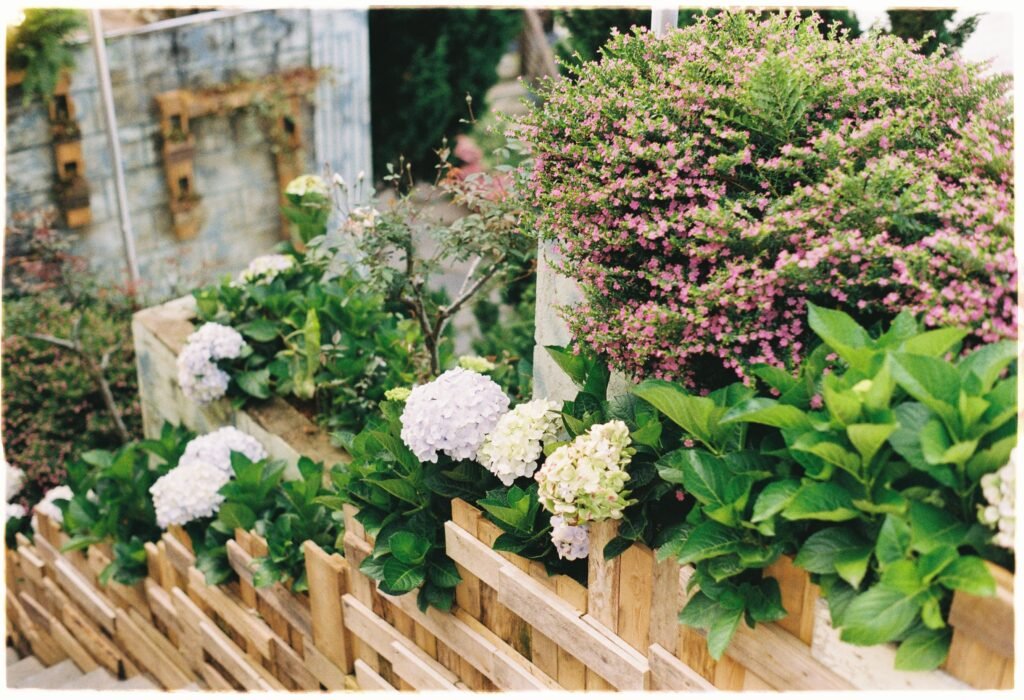
Here is how the checks catch a common failure. Imagine a homeowner in a hot, dry region uploads a photo of a desert lot and asks an AI tool for a “modern farmhouse” front yard. The render comes back beautiful: lush green lawn, big leafy hydrangeas by the porch, and a white picket fence.
It looks right, and it is wrong in at least three ways. First, the zone and climate check: hydrangeas are thirsty, shade-loving plants that struggle in hot, dry conditions, and a large lawn in a desert region may conflict with water restrictions. Second, the water check: keeping that lawn and those shrubs alive would need far more water than the region and the homeowner’s budget may support. Third, the mature-size check: the shrubs drawn neatly by the porch may grow wide enough to block the path and the windows.
The fix is not to abandon the farmhouse idea. It is to keep the direction — a welcoming porch, a clear path, layered planting — and swap the plants for drought-tolerant plants suited to the zone, reduce the lawn to a size that can be watered, and add shade where people actually sit. The render gave the homeowner a style to discuss. The checks gave them a yard they could keep alive.
Sun, Soil, and Drainage: The Three Checks AI Skips Most
Three site facts cause more AI-design failures than any others, so they deserve a closer look.
Sun changes with season, not just time of day. A bed that is sunny in June may be shaded in December by a neighbor’s house or a bare tree’s branches. If you are choosing plants for year-round interest, check sun in more than one season, or ask a local nursery or extension service what grows well in that spot.
Soil decides whether plants thrive or merely survive. Clay soil holds water and can drown roots; sandy soil drains fast and dries out; compacted soil near driveways resists roots altogether. A simple squeeze test, a local extension soil test, or advice from a nearby nursery tells you more about your soil than any render can. Amend soil or choose plants for the soil you have, rather than forcing plants that need soil you do not have.
Drainage decides whether a design lasts. Water that pools near a foundation, flows toward a neighbor’s lot, or undermines a path is a problem no planting choice fixes. If your yard holds water, slopes toward the house, or needs regrading, hire a landscape professional to assess drainage before you build beds, paths, or walls on top of it. Do not use AI suggestions to redirect water, build retaining walls, or alter grades without professional assessment.
Privacy and Cost Traps to Watch
Two non-design traps deserve attention before you upload anything.
Privacy. A yard photo plus a location can reveal your home, your address area, and when you are planning work. Before you use a tool, check what it collects: does it store your photos, use them to train models, or share location data? Read the privacy terms in plain language, remove location data from photos where you can, and avoid uploading photos that show house numbers, children, or valuables. If a tool’s terms are unclear, use a photo that shows only the yard area you want redesigned.
Cost. “Free” AI design usually means a free tier with limits — a number of renders, watermarked images, or lower resolution — with paid plans for more. That is normal, but it creates a trap: a free render can imply a finished, affordable project when the real costs (plants at mature size, soil, irrigation, labor, permits) are still unknown. Never budget a project from a render. Budget from measured quotes that list scope, as in check six above.
Also watch for tools that present a render as if it were a quote or a guarantee. A render is not a promise about price, plant survival, or buildability, whatever the marketing around it says.
When to Hire a Human Anyway
AI is a good brainstorming partner and a poor substitute for a professional on technical work. Hire a licensed landscape professional, contractor, or relevant tradesperson when the project involves grading or drainage changes, retaining walls, irrigation or electrical work, large tree work, structures near boundaries, or anything requiring a permit. A local designer or landscaper also brings knowledge no general model has: your soil, your microclimates, your water rules, and which plants actually thrive in your neighborhood.
A good way to use both is to take your AI renders, your zone, your measurements, and your six-check notes to a professional and say: “I like this direction. What would you change to make it work here?” That conversation is usually shorter, cheaper, and more productive than starting from a blank page — and it keeps the human in charge of the decisions that matter.
For more outdoor planning ideas, browse the home design ideas on Luxury Homes Idea, and read about Luxury Homes Idea for the site’s approach to comfortable, livable homes.
Frequently Asked Questions
What is AI landscape design?
AI landscape design is software that uses a photo of your yard, a description, or both to generate a visual design idea, a suggested layout, or a plant list. It helps you explore styles and directions quickly. It does not, by itself, produce a measured, buildable plan with dimensions, drainage, and local-rule compliance.
Is AI landscape design free?
Many tools offer a free tier or free credits to try, with paid plans for more renders, higher resolution, or unwatermarked exports. The render itself may be free, but the project it pictures is not — plants, soil, irrigation, labor, and permits are separate costs that only a measured quote can establish.
Does AI landscape design know what grows in my area?
No, not reliably. A visual tool designs for the look you asked for, not for your hardiness zone, soil, or water restrictions, and it can suggest plants that will not survive where you live. Always check every plant against your USDA zone and local conditions before buying.
Can I take an AI render to a landscaper?
Yes, as a conversation starter — it is better than a generic inspiration photo because it shows your actual house. No, not as a plan: a render has no dimensions, plant schedule, drainage, or irrigation details. Take your measurements and your six-check notes with it, and let the landscaper tell you what it costs and whether it drains.
Can AI replace a landscape designer?
For exploring ideas, partly. For technical decisions — grading, drainage, retaining walls, irrigation, electrical work, permits, and large trees — no. Those decisions need a licensed professional who has seen your lot, soil, and local rules.
Is my yard photo private?
It depends on the tool. Some tools store photos, use them for training, or collect location data. Check the privacy terms before uploading, strip location data from photos where possible, and avoid images showing house numbers, children, or valuables. When in doubt, upload a cropped photo of only the area being redesigned.
Use AI for what it does well: fast ideas in your own yard’s photo. Then run the six checks, swap what fails, and let a human professional handle the ground, the water, and the rules. That order keeps the inspiration and removes most of the risk.
Disclaimer
This article shares general information only. Yards, climates, and local rules vary. Check buried utilities and local rules before digging or building, and hire a qualified professional for grading, drainage, electrical, irrigation, or structural work.